.avif)

Blog Summary / Key Takeaways
- A virtual bookkeeper works remotely inside your accounting workflow "virtual" describes location, not quality; quality comes from training, SOPs, and the review structure you set
- Explains the difference between a virtual bookkeeper, virtual accounting firm, and outsourced bookkeeping services - three terms most CPA firms confuse when scoping work
- Covers exactly which tasks virtual bookkeepers handle well (recs, coding, close packages) vs. what requires firm-side controller oversight to protect accuracy
- Includes the Three-Layer Close model that keeps partner review time contained even with a fully remote bookkeeping team
- Provides a 5-step hiring workflow to set up a virtual bookkeeper without generating more review work than you had before
- Covers virtual bookkeeper cost vs. US local hire with a fully loaded side-by-side comparison including payroll taxes and benefits
- Lists 5 common red flags with specific controls to prevent each one before it hits partner review
- 6 FAQs covering what they do, security, AI, hiring, cost, and how to manage them remotely
Quick Answer
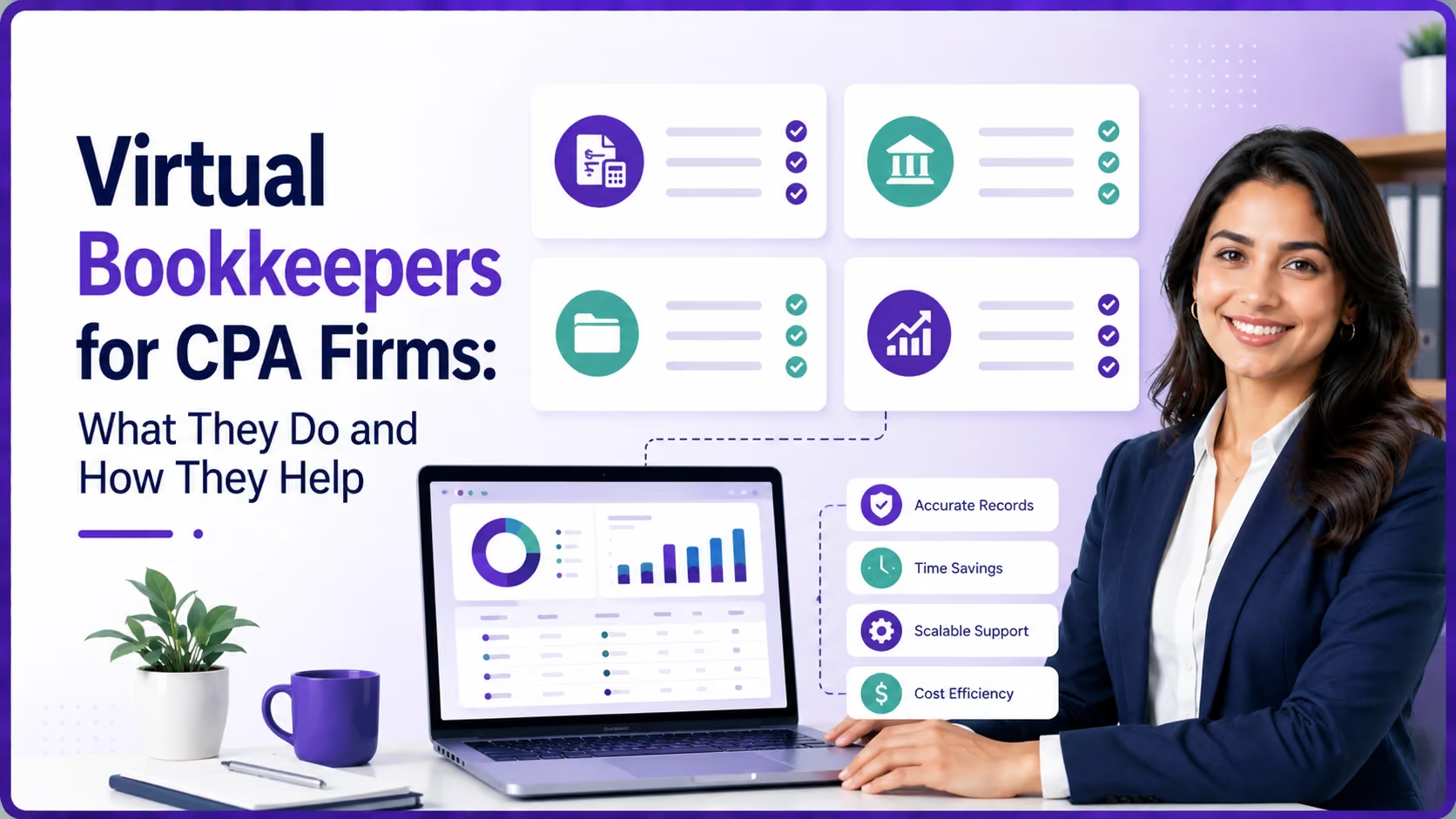
A virtual bookkeeper is a bookkeeping professional who works remotely inside your accounting workflow handling transactions, reconciliations, and close support using your systems, your rules, and your close calendar. "Virtual" describes location. Quality comes from training, process discipline, and the review structure you build around them.
The CPA firm owners who struggle with virtual bookkeepers are not struggling because remote bookkeeping does not work. They are struggling because they hired before they built the workflow. This guide fixes that.
What Is a Virtual Bookkeeper?
A virtual bookkeeper is a bookkeeping professional who works remotely typically in QuickBooks Online, Xero, or desktop QuickBooks - following your SOPs, close calendar, and documentation standards. They do not need to be in your office to follow your processes.
For US CPA firms, virtual bookkeepers typically cover daily and month-end production: transaction coding, bank and credit card reconciliations, payroll posting from ADP or Gusto reports, and close package assembly.
Virtual Bookkeeper vs. Virtual Accounting Firm vs. Outsourced Bookkeeping: What Is the Difference?
What Virtual Bookkeepers Handle Well (And What They Should Not)
Tasks Virtual Bookkeepers Handle Well
- Bank and credit card reconciliations with clear exception notes
- Transaction coding using your chart of accounts, class, and location rules
- AP and AR support — invoicing, payment application, aging management
- Payroll posting from Gusto, ADP, Paychex, or Rippling reports
- IRS Form 941 payroll liability reconciliation to GL
- Fixed asset rollforward support when policy is clearly documented
- Standard month-end close checklists and workpaper assembly
- Sales tax payable reconciliation to state filing schedule
Tasks That Require Firm-Side Controller Oversight
- Revenue recognition decisions and contract interpretation
- Complex accruals and estimates without strong source systems
- Multi-entity intercompany entries and eliminations
- Cash-to-accrual conversions for tax or reporting purposes
- New accounting policy decisions and unusual transactions
You can still outsource parts of that second list but only with a firm-side reviewer who owns the judgment calls and provides sign-off. Never let a virtual bookkeeper self-approve complex estimates.
The Three-Layer Close: Keep Partner Review Time Contained
This structure moves partner time away from cleanup and into oversight. If your partner is still hunting for missing tie-outs, the problem is Layer 1 or Layer 2 — not the concept of virtual bookkeeping.
Virtual Bookkeeper Cost vs. Local Hire: Full US Comparison
US Cost Context
The true cost of an in-house US bookkeeper includes salary ($45-65k), employer payroll taxes (FUTA + SUTA + FICA averaging 8%), health insurance ($6-12k/yr), PTO coverage, and recruiting costs ($5-15k). Total loaded cost: $60,000-$90,000/yr. An offshore virtual bookkeeper at $15k/yr represents 75-85% savings on production work.
5-Step Process: How to Hire a Virtual Bookkeeper Without Creating More Review Work
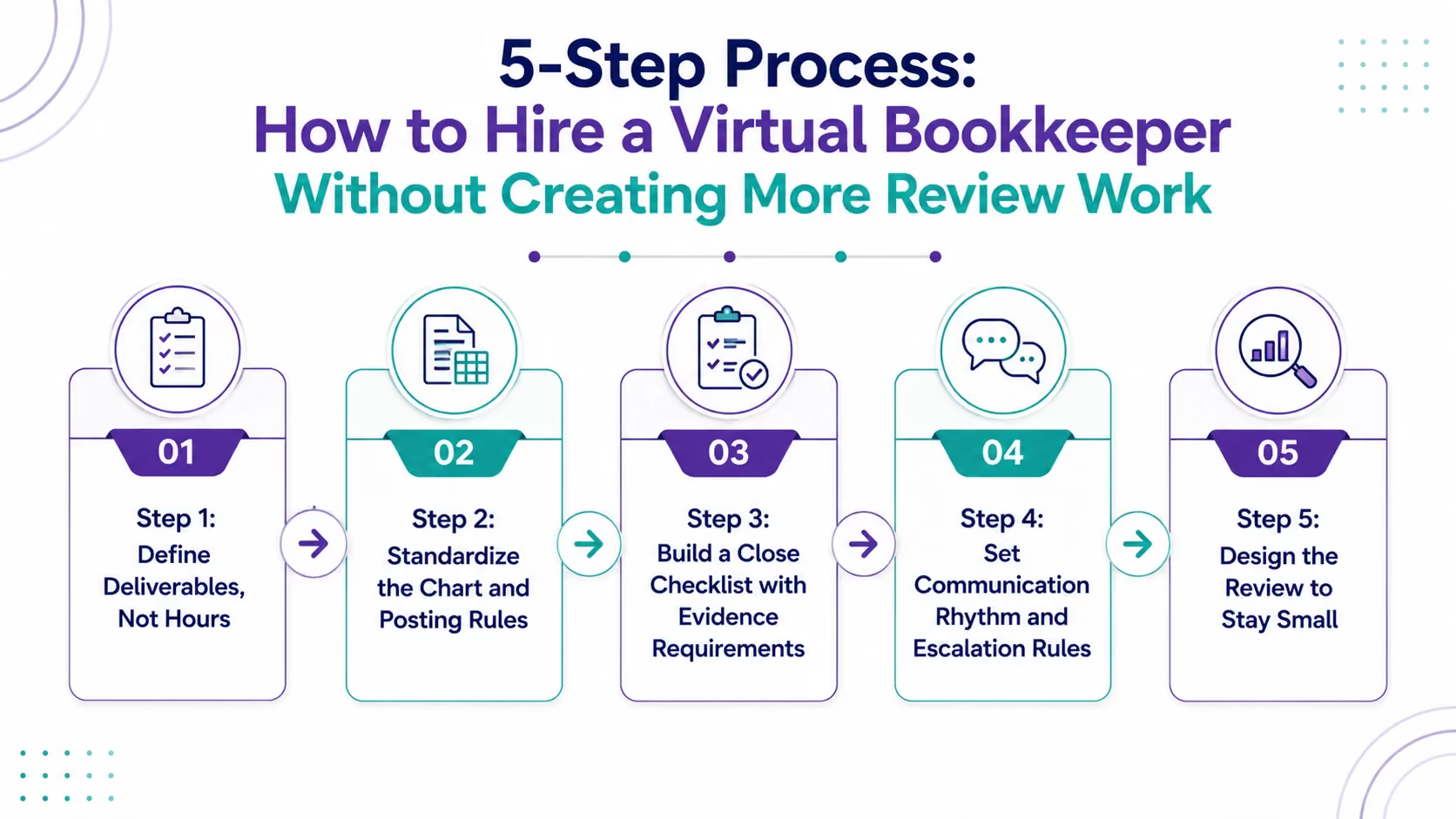
Step 1: Define Deliverables, Not Hours
Write the output in plain language: "Bank recs complete by the 10th. All recon items explained. Close package uploaded with supporting schedules by the 12th." Deliverables eliminate arguments and protect client relationships when staff changes.
Step 2: Standardize the Chart and Posting Rules
Create a chart of accounts template by client industry. Create a posting rules sheet covering owner draws, reimbursements, payroll, and merchant deposits. Virtual bookkeepers struggle when every client uses different logic — standardize where you can.
Step 3: Build a Close Checklist with Evidence Requirements
- Bank rec done = statement PDF + reconciliation report + aged items list, reviewed
- Payroll entry done = payroll register attached + 941 liability confirmed + reversal scheduled
- Loan rec done = amortization schedule tie-out + interest variance note
Step 4: Set Communication Rhythm and Escalation Rules
Two rhythms that work: weekly open-items check for bookkeeping production; daily status update during close week. Define escalation: if an exception sits 3 business days unresolved, it escalates to the firm reviewer automatically.
Step 5: Design the Review to Stay Small
Review should feel like scanning, not redoing. Focus on completeness, reasonableness, consistency with prior months, and documentation quality. When documentation is consistent, review gets faster every month that is the entire ROI case for virtual bookkeeping.
5 Red Flags With Virtual Bookkeepers (And Controls to Fix Each)
Etisson provides dedicated remote bookkeepers with 48-hour onboarding, US accounting training, and a free 40-hour pilot no long-term commitment to start.
FAQ:
What does a virtual bookkeeper do?
A virtual bookkeeper records transactions, reconciles accounts (bank, credit card, AR, AP, payroll liabilities), prepares month-end close workpapers, and supports close reporting all while working remotely inside your accounting systems and following your SOPs and close calendar.
How much does a virtual bookkeeper cost compared to a local hire?
An in-house US bookkeeper costs $60,000-$90,000/yr fully loaded including salary, benefits, FUTA/SUTA/FICA payroll taxes, and recruiting. A US-based virtual bookkeeper runs $30,000-$55,000/yr equivalent. An offshore virtual bookkeeper runs $8,000-$20,000/yr. Savings are largest on production work like reconciliations and transaction coding.
Are virtual bookkeeping services secure for US CPA firms?
Yes, when you use role-based access controls, MFA on all accounting systems, documented SOPs, controlled file sharing rather than personal email, and regular access audits. For firms with AICPA peer review or SOC 2 requirements, ask providers for their security attestation documentation.
How do I hire a virtual bookkeeper for my accounting firm?
Define deliverables (not hours), standardize your chart of accounts and posting rules, build a close checklist with evidence requirements, set a communication rhythm with escalation rules, and design your review layer to focus on exceptions. Run the first close as a learning close with extra review time built in.
Is AI going to replace virtual bookkeepers?
No. AI reduces manual data entry and speeds transaction categorization, but it does not replace accountability. Someone still needs to reconcile accounts, resolve exceptions, document support, and own accuracy at month-end. The best firms use AI for speed and humans for quality control and sign-off.
What is the difference between a virtual bookkeeper and outsourced bookkeeping services?
A virtual bookkeeper is a single remote professional. Outsourced bookkeeping services describe a company providing a team with SOPs, backup coverage, and built-in redundancy. Virtual bookkeepers carry key-person risk; outsourced services mitigate it but cost more and require stronger SOP alignment upfront.
Conclusion
A virtual bookkeeper can help your firm increase capacity, improve month-end consistency, and reduce pressure on your internal team...but success depends on the systems behind the work. With standardized processes, clear documentation, and a structured review model, virtual bookkeeping becomes a scalable extension of your firm rather than just additional support. By partnering with the right provider, CPA firms can maintain accuracy, streamline operations, and give partners more time to focus on higher-value client work and business growth.
.avif)