.avif)

Blog Summary / Key Takeaways
- The core accounting software categories every CPA firm needs
- The most widely used platforms among US CPA firms in 2026
- How to choose between QBO and Xero for your client base
- Tax software options and what drives the decision
- How to evaluate whether your current stack is actually working
Walk into any CPA firm and ask what software they use. The answer is usually a list QBO for some clients, Xero for others, Drake for tax, ProSeries for complex returns, Bill.com for AP, Dext for receipts, Karbon for project management, a spreadsheet for the depreciation schedule, and something else for payroll reconciliation.
Eight tools. Minimum.
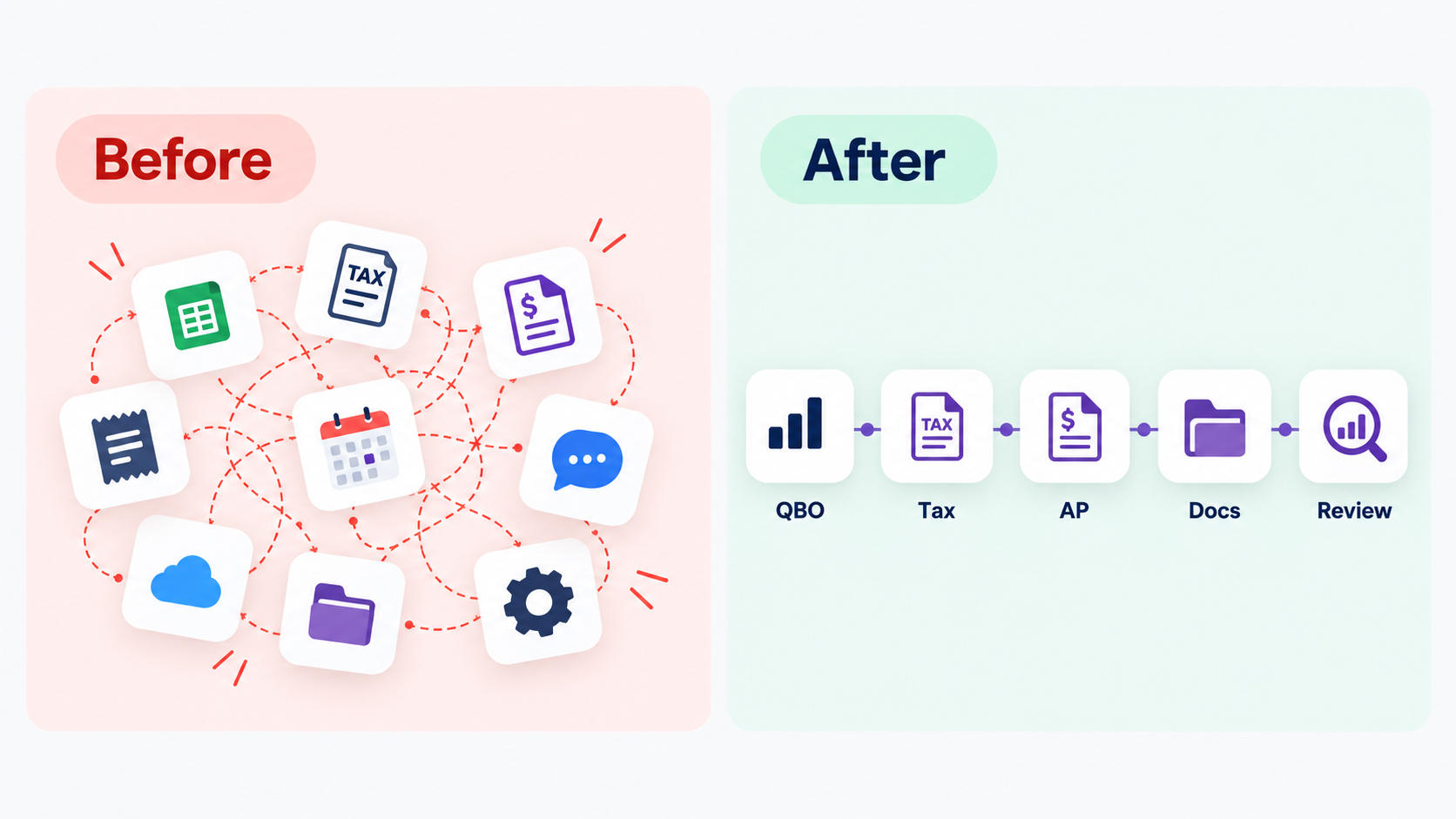
Most of them do not talk to each other cleanly. Every one of them requires training. And when a new staff member joins or a new offshore bookkeeper starts the onboarding checklist grows.
Most US CPA firms run QuickBooks Online for the majority of clients, Xero for a defined secondary segment, one primary tax platform (commonly Drake, ProSeries, or Lacerte), Bill.com for accounts payable, and Dext for document capture.
That five-tool combination covers the majority of US CPA firm workflows. The firms that struggle are usually running eight or nine tools instead of five, with no one having decided which ones actually earn their place.
The software question is not "what is the best accounting software." It is "what is the right stack for how my firm actually works and what my clients actually need." Those are different questions with different answers depending on your client mix, your team size, and your volume.
This guide breaks down the real options what firms are using, why they chose it, and what the tradeoffs are.
Why Does Accounting Software Matter So Much for CPA Firms?
Accounting software is not just a tool it is the operating infrastructure of a CPA firm. Every deliverable your firm produces runs through it. Every client's books live in it. Every close process depends on it.
The wrong software creates friction at every step:
- Data that does not import cleanly from bank feeds
- Reports that require manual reformatting before they can go to the client
- Workarounds that every team member has to learn and remember
- Integration failures between platforms that require manual data entry to bridge
The right software reduces all of that and creates the standardization that makes training faster, close processes more consistent, and mistakes easier to spot.
For CPA firms with offshore accounting staff, software choice matters even more. A dedicated offshore bookkeeper or senior accountant needs to be proficient in the exact platforms your clients use not a generic approximation of them.
What Software Categories Does a CPA Firm Actually Need?
A complete CPA firm tech stack covers five categories. Every firm needs something in each one the specific tool within each category depends on firm size and client type.
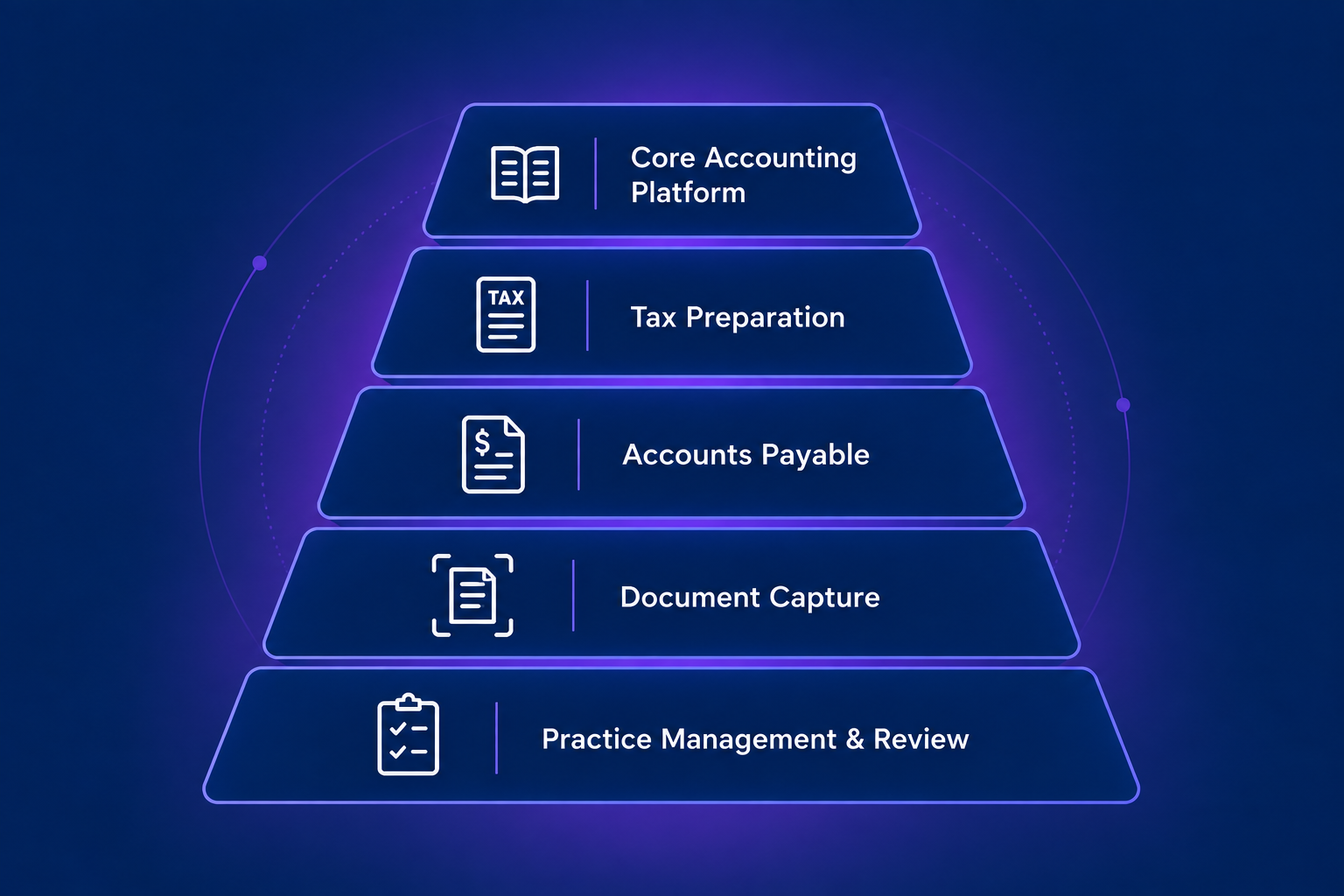
Most CPA firms do not need the most sophisticated tool in every category. They need the right tool for their volume and client complexity and they need those tools to integrate reasonably well with each other.
What is the best practice management software for CPA firms?
Karbon and Financial Cents lead for small to mid-size firms because they are built specifically around accounting workflows rather than adapted from general project management tools. Jetpack Workflow is a lower-cost option for firms under 15 staff. Larger firms already inside the Wolters Kluwer or Thomson Reuters ecosystem often use their practice management modules instead, trading flexibility for integration with the rest of their stack.
Who Chooses the Software - You or Your Clients?
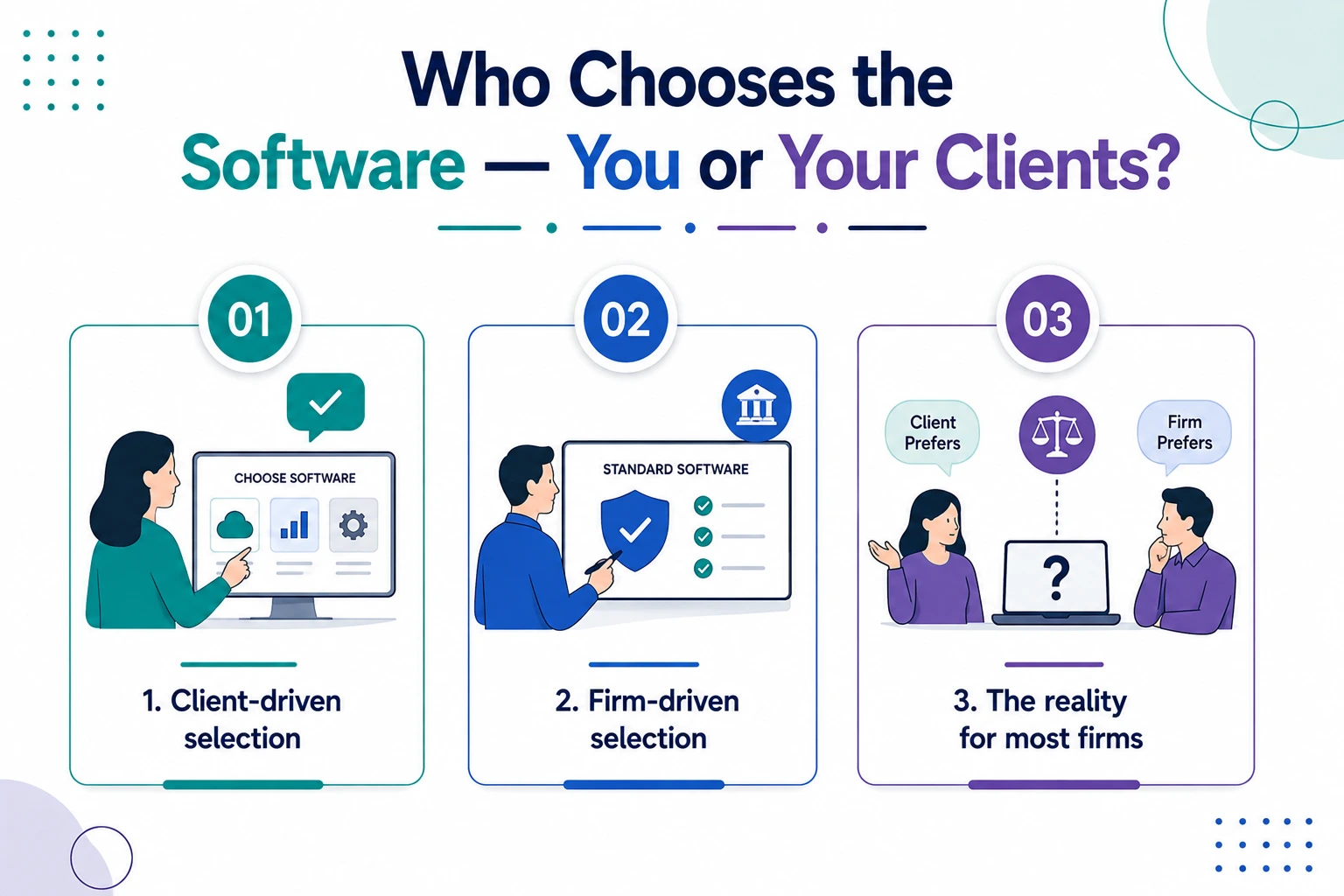
This is the question most CPA firms do not ask clearly enough early on and it shapes the entire software decision.
Client-driven selection: The client already has QBO or Xero set up. They are not switching. The firm works in whatever the client uses.
Firm-driven selection: The firm standardizes on a platform and migrates new clients onto it. The advantage is consistency and training efficiency. The disadvantage is the cost and friction of migration for clients who have an existing setup.
The reality for most firms: A mix of both. Most firms have a preferred platform usually QBO and accept that some clients will be on something else. The key is having staff who are proficient across the two or three platforms that cover 90% of the firm's client base.
Etisson's bookkeepers are trained across QBO, Xero, Sage Intacct, and NetSuite so firms do not have to limit client intake based on what software a client uses.
When Should a CPA Firm Switch Software?
Software migrations are disruptive but the right reasons to switch are real:
Switch from desktop to cloud when your team is working remotely or with offshore staff and needs real-time access to client files.
Switch accounting platforms when the current platform cannot handle the complexity of your clients (for example, QBO Simple Start when a client has multi-entity or inventory needs that require QBO Advanced or Sage Intacct).
Switch tax software when your volume of complex returns outgrows a simpler platform, or when integration with your accounting platform is costing more time than it saves.
Do not switch because a vendor offers a discount, because one client requested it, or because a competitor uses a different tool. Migration has a real cost in time, training, and risk of data errors.
Etisson's migration specialists handle platform migrations for CPA firms QBO to Xero, desktop to cloud, or between ERPs with full reconciliation and zero data loss. If a migration is on your roadmap, it is worth getting a structured plan before starting. See our full implementation checklist for the phase-by-phase process.
Core Accounting Platforms: QBO vs. Xero vs. Sage Intacct vs. NetSuite
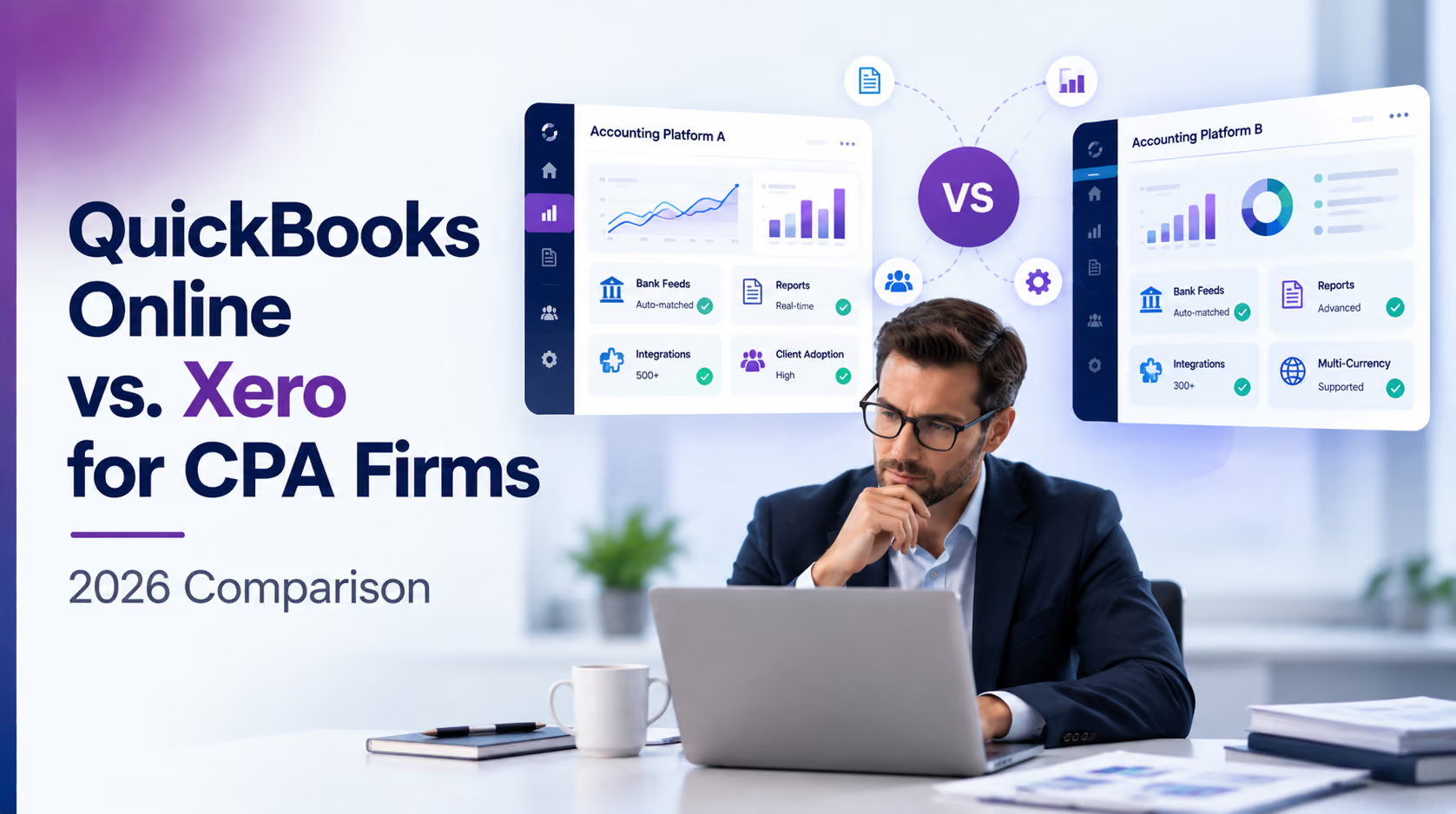
For a full breakdown of how QBO and Xero compare on pricing, reporting, and migration cost, see our dedicated QuickBooks Online vs. Xero comparison.
QuickBooks Online (QBO)
The dominant accounting platform in the US market. Most CPA firms have the majority of their clients on QBO not because it is the best in every situation, but because it is the most widely used, which means the widest talent pool, the most integrations, and the most client familiarity.
Best for: Small to mid-size US businesses across most industries. Firms that prioritize client familiarity and ease of onboarding.
Limitations: Multi-entity reporting requires workarounds. Project costing is limited unless using QBO Advanced. Reporting is less flexible than Xero out of the box.
Xero
Growing rapidly in the US, with strong native multi-currency handling. Strong bank feed integration, flexible reporting, and a cleaner user interface than QBO. Often preferred by firms managing clients with more complex reporting needs.
Best for: Firms with multi-currency needs, professional services clients with complex reporting, and firms that prioritize reporting flexibility.
Limitations: Smaller US talent pool than QBO. Less familiar to US clients who have used Intuit products for years. Tax software integration requires more setup.
Sage Intacct
Mid-market platform with strong multi-entity, multi-currency, and dimensional reporting capabilities. Requires more configuration than QBO or Xero but offers significantly more power for the right client profile.
Best for: Mid-market clients with multi-entity structures, construction firms needing project costing, non-profits, and professional services firms with complex billing.
Limitations: Higher cost. More complex to implement and maintain. Overkill for simple small business clients.
NetSuite
Enterprise ERP platform used by larger businesses with complex operations inventory, manufacturing, international operations, or high transaction volumes. Not typically used for standard bookkeeping clients.
Best for: Enterprise clients above $10M-$20M in revenue with complex operational and financial reporting needs.
Limitations: Expensive. Requires significant implementation. Not appropriate for standard small business client bookkeeping.
Tax Software for CPA Firms: Drake, ProSeries, Lacerte, and UltraTax
Tax software is a separate decision from accounting software and it is the one most CPA firms get more opinionated about because the cost of switching is high and the learning curve is steep. See our full tax software comparison for a deeper look at which platform fits which return mix.
Drake Tax
Most widely used among small to mid-size CPA firms in the US. Known for speed, reliability, and value. Lower cost than ProSeries and Lacerte. Less polished UI but extremely functional.
Best for: Firms with high return volume, value-conscious practices, solo and small firm CPAs.
Intuit ProSeries
Mid-range tax software with strong integration into the QuickBooks ecosystem. Familiar interface for QBO-focused firms. Good for firms that are predominantly QBO and want a connected workflow.
Best for: Firms already deeply embedded in the Intuit ecosystem, mid-size practices.
Lacerte
Premium Intuit tax software with more power and flexibility than ProSeries. Used by firms handling complex returns multi-state, international, high-net-worth individuals, large partnerships.
Best for: Firms with complex return profiles, larger practices, estate and trust work.
UltraTax CS (Thomson Reuters)
Part of the Thomson Reuters CS Professional Suite. Strong integration with other Thomson Reuters tools. Often chosen by larger firms that are already in the Thomson Reuters ecosystem.
Best for: Larger firms using the full Thomson Reuters suite, practices with complex workflow integration needs.
Supporting Tools: AP, Payroll, Document Capture, and Review
Beyond the core accounting and tax platforms, CPA firms need supporting tools for specific workflows:
Accounts Payable: Bill.com is the standard for mid to high-volume AP management approval workflows, ACH/check payments, vendor portal. For lower-volume clients, QBO or Xero's built-in AP is sufficient.
Payroll: Firms typically do not process payroll themselves they work with whatever payroll platform the client uses (ADP, Gusto, Paychex, Rippling) and import or manually enter journal entries from payroll reports.
Document Capture: Dext is the most widely used receipt and invoice capture tool in CPA firms. Extracts data from receipts and invoices automatically, reducing manual entry.
Review and Close Management: Xenett is increasingly used by CPA firms for AI-powered GL review, accrual detection, and close checklist management. Reduces the time senior accountants spend on pre-close review. See our full comparison of month-end close software for a deeper look at this category.
The Problem With Too Many Tools
Every tool added to the stack creates friction:
- Training cost: Every new team member or offshore staff needs to learn it
- Integration gaps: Tools that do not connect cleanly require manual data bridging
- Vendor management: Subscriptions, renewals, support contacts, and pricing negotiations multiply
- Context switching: Staff moving between multiple tools during the same workflow lose time and make more errors
The best CPA firm tech stacks are not the most comprehensive. They are the most intentional each tool chosen because it solves a specific problem better than any alternative, not because it was offered in a bundle or a trial. For a closer look at where automation fits into this, see our guide on accounting workflow automation.
Real Example: How Accruity Standardized Its Tech Stack Around QBO
Accruity is a US-based financial strategy and back-office firm serving real estate investors, running client books for flippers, developers, portfolio holders, and property managers. The firm's stack centers on QuickBooks Online, connected to real estate-specific tools including Appfolio for property management and Qualia for closings.
The problem was not the tool count. It was that skilled bookkeepers in the US familiar with real estate-specific accounting were commanding $6,000 to $10,000 per month, which made scaling the bookkeeping layer unsustainable as Accruity's client base grew across multi-entity real estate structures. Senior advisors were also spending too much time on transaction-level execution instead of the strategic advisory work that differentiates the firm.
"For a firm whose value proposition is strategic clarity, where a single month of disorganized books could cost a real estate client a missed deal or a failed audit, under-resourcing the bookkeeping layer was simply not an option."
Working with Etisson, Accruity brought on dedicated offshore bookkeepers trained in QBO at $2,000 to $2,500 per month, roughly two-thirds less than equivalent onshore talent, without changing the platform the firm had already standardized on. The engagement started with a single dedicated resource and scaled as client volume grew.
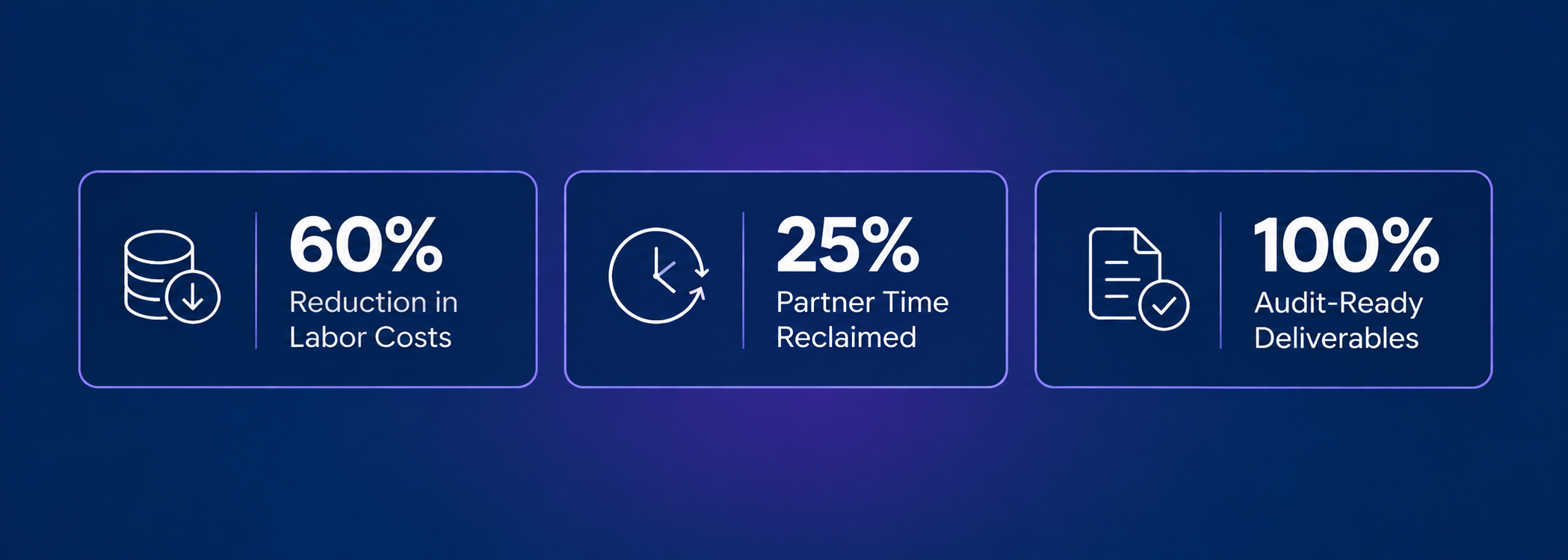
- 60% reduction in labor cost, same skill set at a fraction of the onshore rate
- 100% audit-ready deliverables across all clients, every month
- 25% of partner time reclaimed for deal underwriting and business coaching
- Month-end close delivered on schedule across multi-entity portfolios with zero backlog
All of this happened without touching the underlying QBO platform Accruity's clients were already using, which is the point: the software stack did not need to change. The staffing model behind it did.

See What a Dedicated Offshore Team Looks Like for Your Firm
Etisson's bookkeepers arrive trained on your existing software stack, so scaling capacity never means changing platforms.
How Etisson Staff Are Trained Across the Full CPA Firm Tech Stack
Etisson builds software proficiency into the hiring and training process not the onboarding process with your firm. Every Etisson bookkeeper, senior accountant, and reviewer arrives trained and ready to operate in the platforms your clients use.
Etisson staff are proficient in:
- Accounting platforms: QuickBooks Online (all tiers), Xero, Sage Intacct, NetSuite, Bill.com
- Payroll platforms: ADP, Gusto, Paychex, Rippling (journal entry import and reconciliation)
- AP and document tools: Bill.com, Dext, Expensify
- Review and close: Xenett
- Tax (support role): Drake, ProSeries, Lacerte (data preparation and workpaper support not return preparation or signing)
Etisson's 35+ training modules cover software proficiency, US accounting workflow standards, communication, and cultural alignment so your dedicated staff member is not learning your tools at your firm's expense.
At $2,200/month for a dedicated bookkeeper, the per-tool training cost is already built into the Etisson model. There is no additional cost when a client uses a different platform within the supported stack.
Use the Etisson ROI Calculator to compare your current staffing cost against the Etisson model.
Book a free strategy call we'll walk through your current software stack and show you how Etisson fits into your existing workflow without requiring you to change platforms.
FAQs
What accounting software do most CPA firms use?
QuickBooks Online is the most widely used accounting platform among US CPA firms, with approximately 80% of small business clients on the platform. Xero is a strong second, particularly for multi-currency and professional services firms. Sage Intacct is common for mid-market, multi-entity clients.
For tax preparation, Drake Tax is most common among small to mid-size firms. ProSeries and Lacerte are used by larger practices or those with complex returns.
What is the difference between QuickBooks Online and Xero for CPA firms?
QBO has the largest US client base, the most integrations, and the most familiar interface for US clients. Xero has stronger reporting flexibility, better bank feed integration, and stronger native multi-currency handling. Most US firms standardize on QBO and maintain a small Xero client segment. The choice often comes down to client preference rather than a strong technical superiority of one over the other.
Do CPA firms need separate tax software from their accounting software?
Yes. Accounting software handles the books general ledger, financial statements, close process. Tax software handles return preparation and e-filing individual returns (1040), corporate returns (1120), partnership returns (1065), and others. The two categories do not overlap. Most CPA firms use QBO or Xero for accounting and Drake, ProSeries, or Lacerte for tax.
What software should a small CPA firm use?
For a small CPA firm (under 10 staff, under 50 clients), QuickBooks Online for accounting, Drake Tax for tax preparation, Dext for document capture, and Bill.com for any clients with meaningful AP volume covers the majority of workflows at a reasonable cost. Practice management software (Karbon, Jetpack Workflow) is worth adding once the firm reaches a point where workflow visibility becomes the constraint. See our full guide to software for small CPA firms for the complete lean stack breakdown.
How do CPA firms train staff on multiple accounting platforms?
Training staff on multiple platforms is one of the biggest time and cost burdens in growing CPA firms. Most firms limit their stack to two accounting platforms (typically QBO and Xero) and one primary tax platform to contain the training requirement. Etisson's offshore staff arrive pre-trained on the full standard stack QBO, Xero, Sage Intacct, NetSuite, Bill.com, Dext, ADP, Gusto, and others through 35+ proprietary training modules before placement.
What is the best way to switch accounting software for CPA firm clients?
A structured migration approach: start by reconciling the existing books in the old system, export all data in a format compatible with the new system, import and verify balances, and run parallel for at least one month to confirm the migration is clean. Never migrate mid-year for a client with complex transactions without a clear plan and reconciliation at every step. Etisson's migration team handles platform migrations with full reconciliation and zero data loss.
How do offshore accounting staff handle different software across client accounts?
The key is pre-training across the platforms commonly used in CPA firms, not onboarding into each tool when a new client arrives. Etisson's dedicated bookkeepers and senior accountants are proficient in QBO, Xero, Sage Intacct, NetSuite, Bill.com, Dext, and payroll platforms before they start with your firm. When a new client uses a platform within the supported stack, there is no ramp-up required the staff member is already capable of working in it from day one.
Conclusion
The right accounting software stack is not the most tools or the most expensive tools. It is the combination that matches how your firm works, what your clients need, and what your team can execute consistently.
Most CPA firms land in the same place over time: QBO for the majority of clients, Xero for a defined segment, one primary tax platform, Bill.com for high-volume AP, and Dext for document capture. That five-tool stack covers the majority of US CPA firm workflows at a reasonable cost and training burden.
What makes the software stack work is not the tools it is the people operating them. A bookkeeper who is proficient in QBO and Xero, an accountant who knows Sage Intacct for the mid-market clients, and a tax associate who can prepare workpapers in Drake or ProSeries.
Finding those people locally is expensive and slow. Building them through 35+ training modules and placing them as dedicated offshore staff is how Etisson solves the same problem at a third of the cost with 48-hour onboarding instead of 60-day recruiting cycles.
.avif)